 recapr
A new look. More say in the script. A weekly e-magazine. Fresh material for the group chat.
Somebody left a monster performance on the bench. Somebody won ugly and immediately declared themselves a genius. And somebody is about to take the power rankings personally.
Your league has stories. Recapr V2 gives them a redesigned home, more control over the script, a weekly e-magazine, and clips built for the group chat.
The scoreboard can keep the numbers. Let’s get into the good stuff.
01Your weekly fix. All in one place.
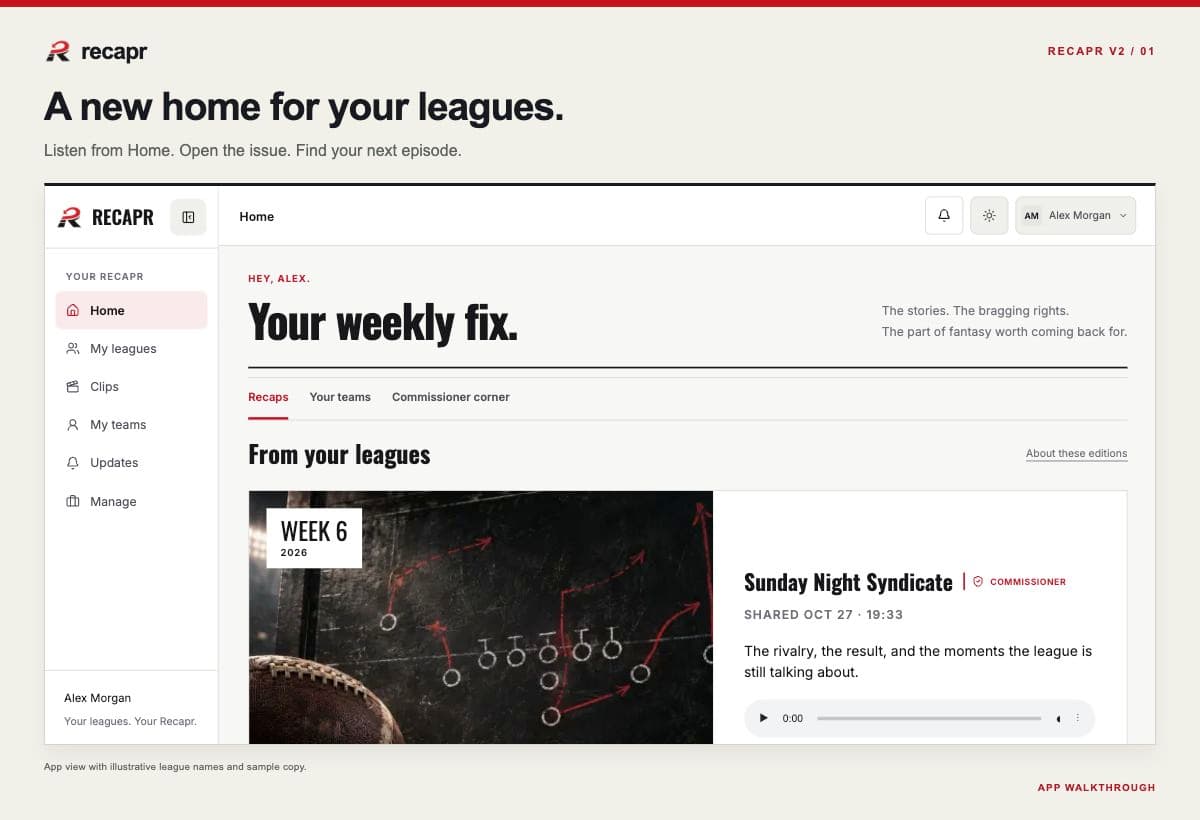
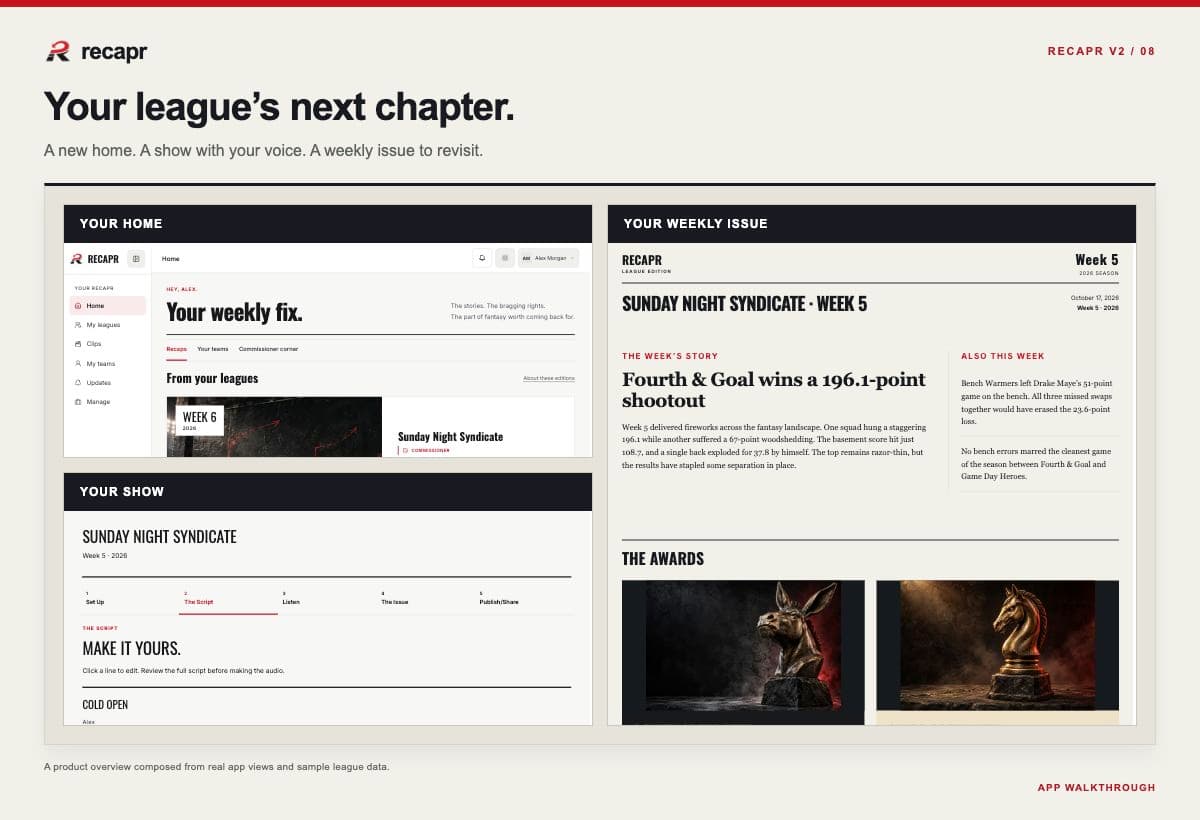
Here to make the show? Here to hear what the hosts said about you? Either way, start at Home.
The redesigned Home brings your leagues and published editions together. Listen right from Home, revisit earlier weeks, and move between leagues without losing track of whose terrible lineup decision you’re discussing. Commissioners can pick up the episode work that needs their attention from the same place.
Listening, reading, and producing now feel more connected, whether you’re on your phone or at your desk.
02From final score to finished show.
Commissioners already have a league to run. Producing the recap shouldn’t require a second playbook.
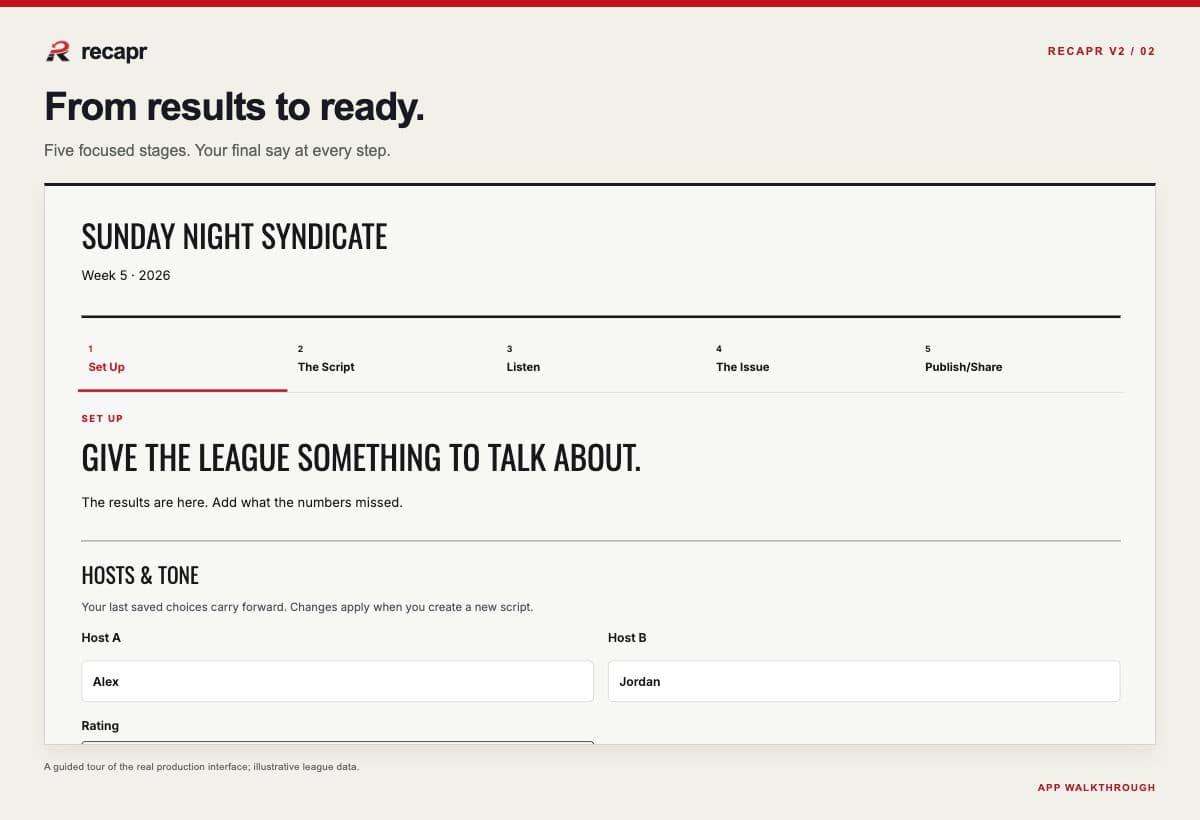
V2 organizes production into five stages, so you know what you’re working on and what comes next:
- Set Up: review the week’s league data, choose what goes into the episode, and adjust the available show settings.
- The Script: read the draft, make edits, and approve the words before recording.
- Listen: produce and review the audio.
- The Issue: review the written edition that accompanies the show.
- Publish / Share: choose the audience and prepare the finished episode for your league.
Review the words, hear the show, check the issue, then share it when you’re ready. You call the plays.
Watch walkthrough
03The hosts have opinions. You have final say.
A box score tells you a team lost by 30. Your league knows that team spent all Thursday guaranteeing a win. That’s useful context.
We’ve rebuilt the writing process to bring connected league results and the context you supply into a more coordinated episode. A whole-episode editorial pass and factual review help check how the stories fit together across the show.
Bring the rivalries, the inside jokes, and the details the stats can’t explain. Your selected tone helps shape the delivery, from Family-Friendly to PG-13 to No Mercy.
The commissioner still reviews the script before recording. Automated checks can flag factual concerns; you make the final editorial calls.
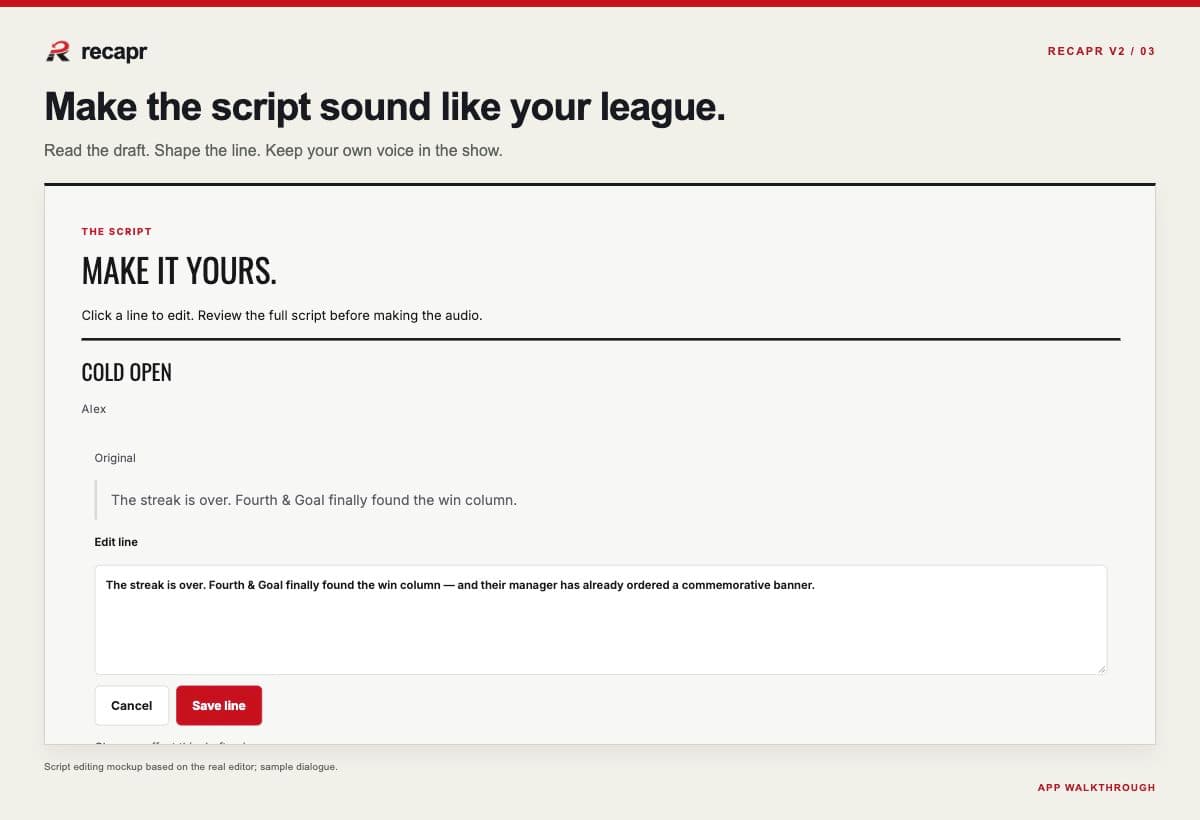
Punch up a line. Cut a dud.
You can shape the script before it hits the mic:
- Edit individual lines.
- Add dialogue when a moment needs one more beat.
- Remove a line that doesn’t belong.
- Request a rewrite of an eligible section, with optional writing notes, and preview the result.
- Accept the rewrite or discard the preview and keep your existing copy.
Add the joke only your league understands. Give that rivalry its proper context. Make sure the closing line earns its spot.
Watch walkthrough
04See the disrespect in writing.
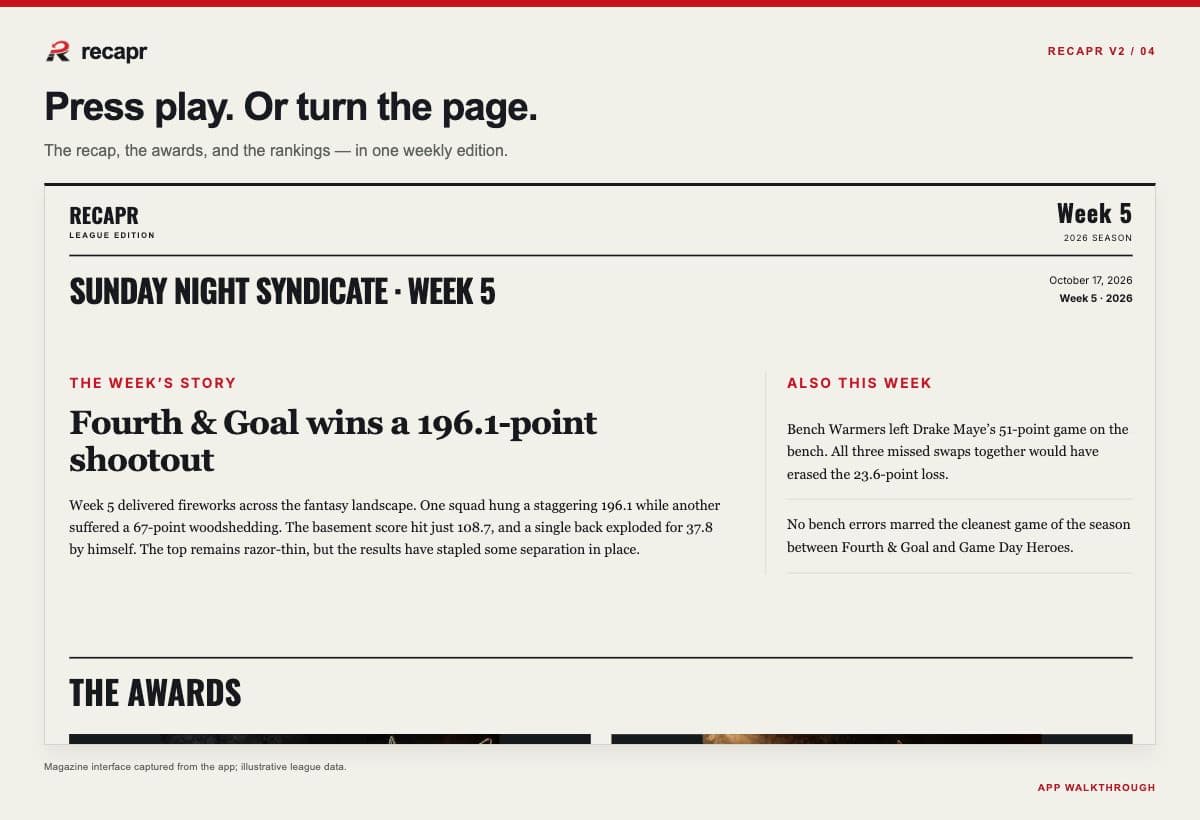
Your league’s week now comes with a written edition alongside the podcast: the weekly e-magazine.
Depending on the episode’s content, the issue brings together matchup recaps, weekly awards, power rankings, player movement, and a look ahead. Read the whole thing or jump straight to the ranking you’ll be disputing for the next six days.
The magazine is built for browsing and revisiting, with audio in the same edition. Listen on the go, catch up between games, or return to the exact paragraph you’d like entered into evidence.
Commissioners can review and edit the written copy before sharing it. Same week. Same league. Another way to relive every questionable decision.
Watch walkthrough
05Fresh ammunition for the group chat.
A perfectly timed roast deserves better than “skip to around minute eight.”
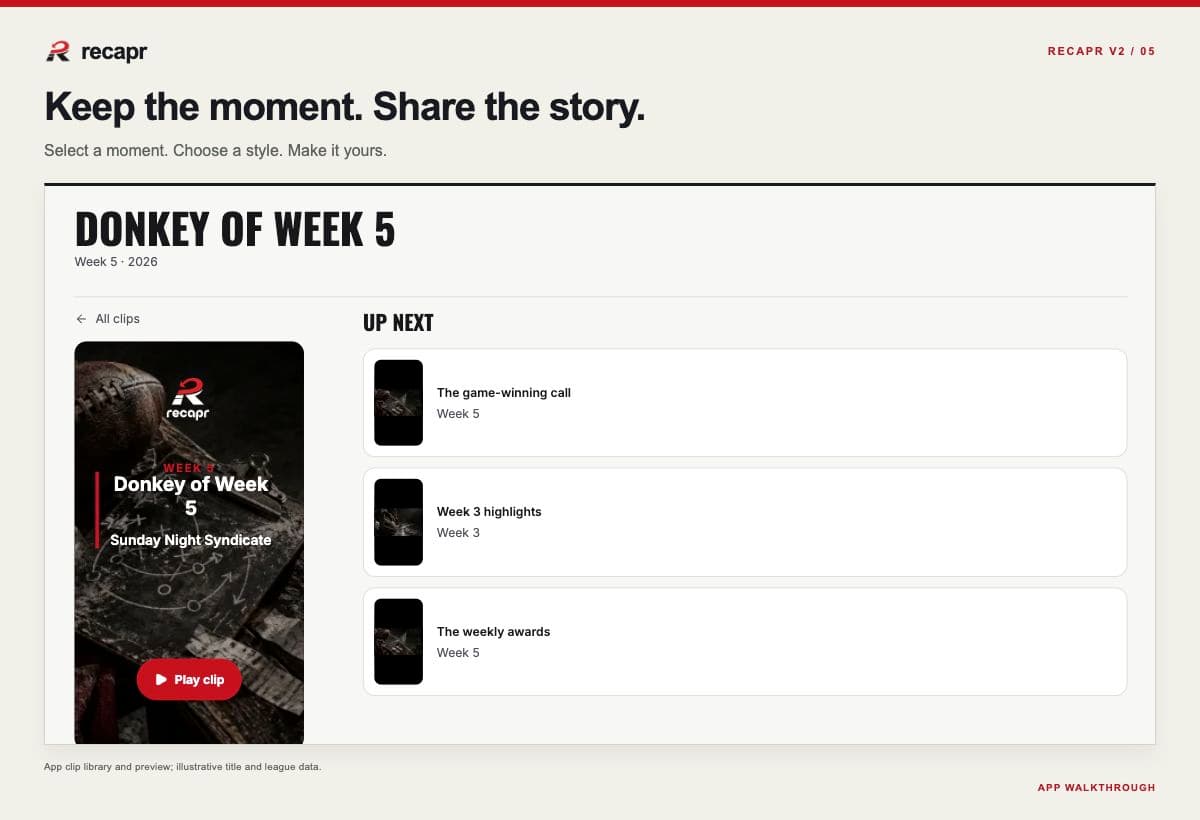
From eligible published episodes, select a moment, preview it, choose a visual treatment, and create a branded video clip. Completed clips live in your clip library, ready to download or share through the available options. Take the video to your group chat or social channels and let the league handle the commentary.
Members can join in where their commissioner’s settings allow it. Commissioners control member clip creation and public sharing.
Clipping needs usable timing data from the recording, so some older episodes may not offer it. Those episodes are still there to listen to.
06Make it official. Then make it everyone’s problem.
Some recaps belong inside the league. Some deserve witnesses.
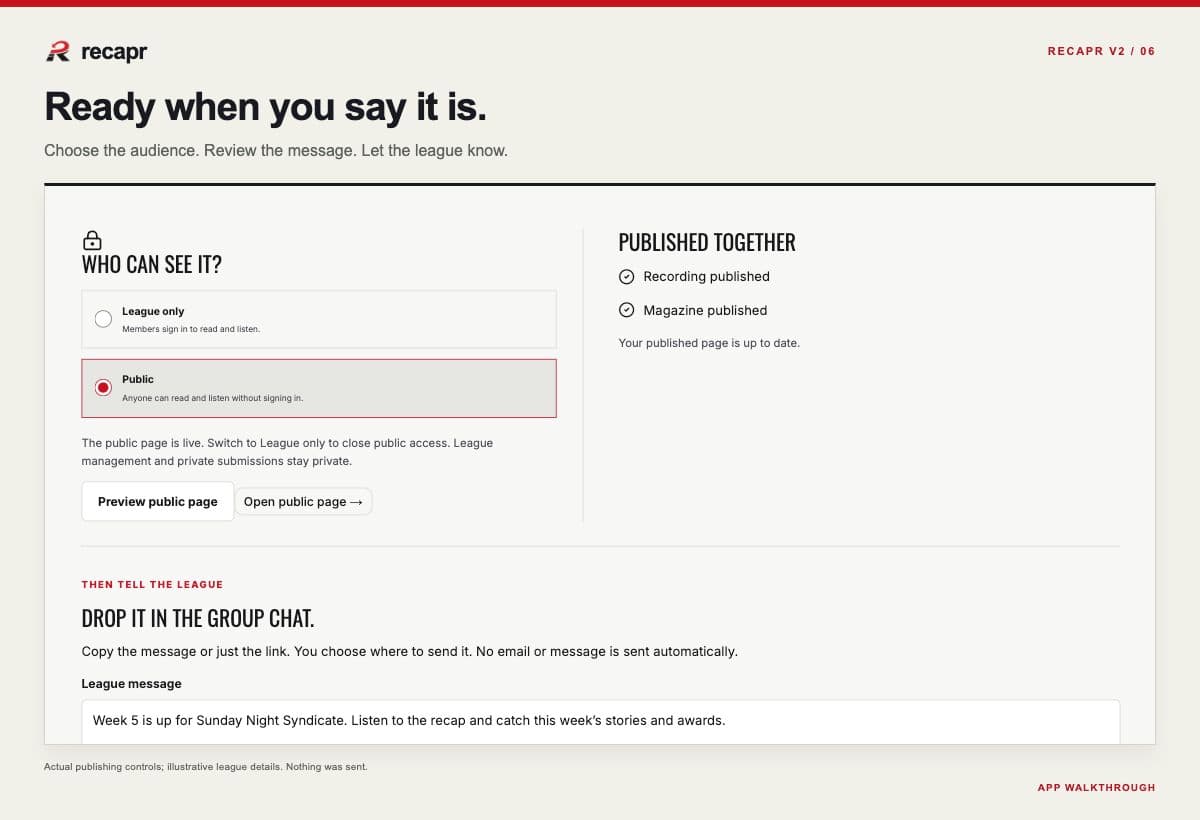
The updated Publish / Share experience brings your release decisions together. Review the edition, choose League only or Public visibility, and prepare the link or message you want to share.
You can also send a league announcement email that brings members back to the published edition. Publishing the episode and sending its announcement are separate actions. The commissioner decides when the league gets the news.
07Less admin. More league drama.
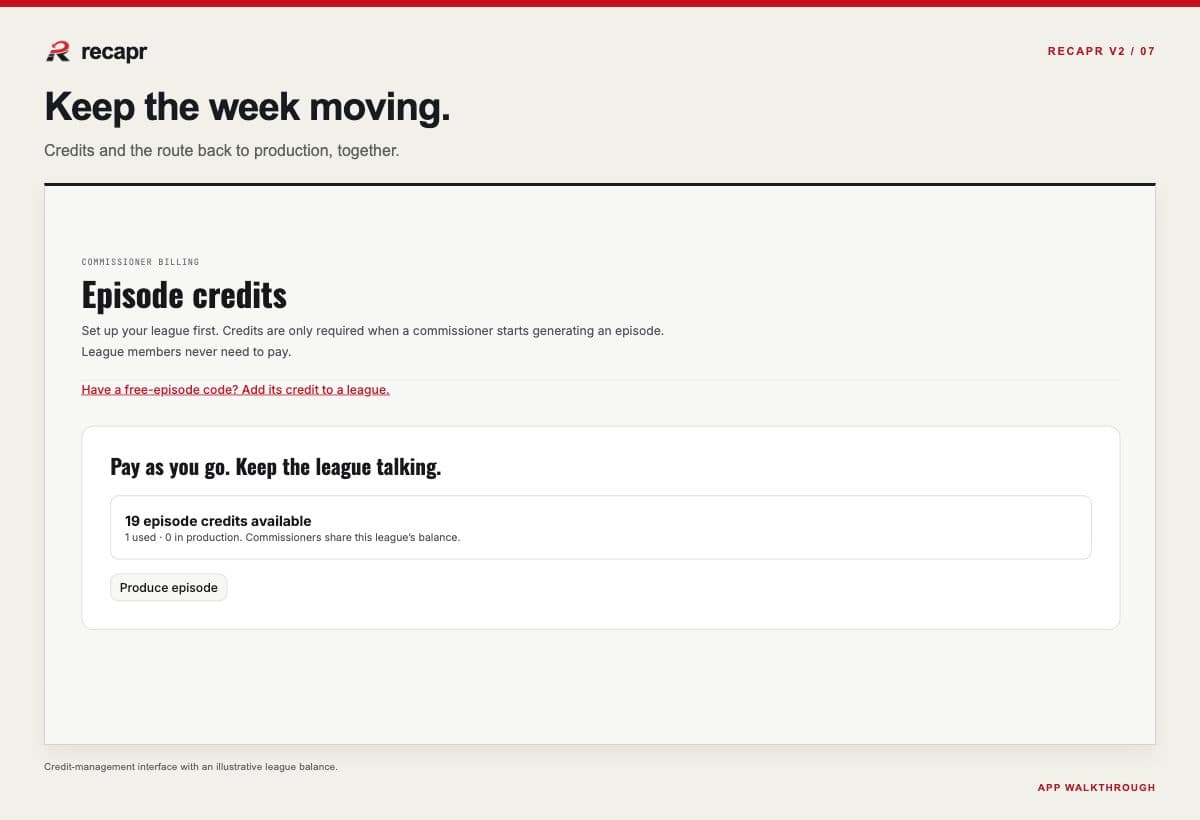
We’ve worked on the steps between the big moments, too: more consistent navigation, clearer review and approval transitions, and direct credit checkout when production needs a credit. After checkout, commissioners return to their saved episode work.
You’ve got enough to manage with waivers, trade offers, and the person asking why the league rules apply to them. Getting the recap out should be the easy part.
08Open Recapr. Check the damage.
Running the league? Open your next episode. Work through the new production stages, shape the script, and review the issue before sharing it. You’ve got a show to make.
Here for the drama? Open your league’s latest published edition. Listen, read, and find the moment you’ll be bringing back to the chat. New weekly editions appear when your commissioner produces and publishes them.
New here? Sign up free, connect a supported Sleeper or ESPN league, and create your included Welcome Episode. No credit card. Plenty to talk about.
The week happened. The receipts are waiting.
New here? Create your free account →
You’ve tested, sent feedback, and told us what your league needs. That helped shape V2. Keep the ideas coming through the feedback tool in the app. We’re listening—even when you’re arguing about the rankings.
— The Recapr Team